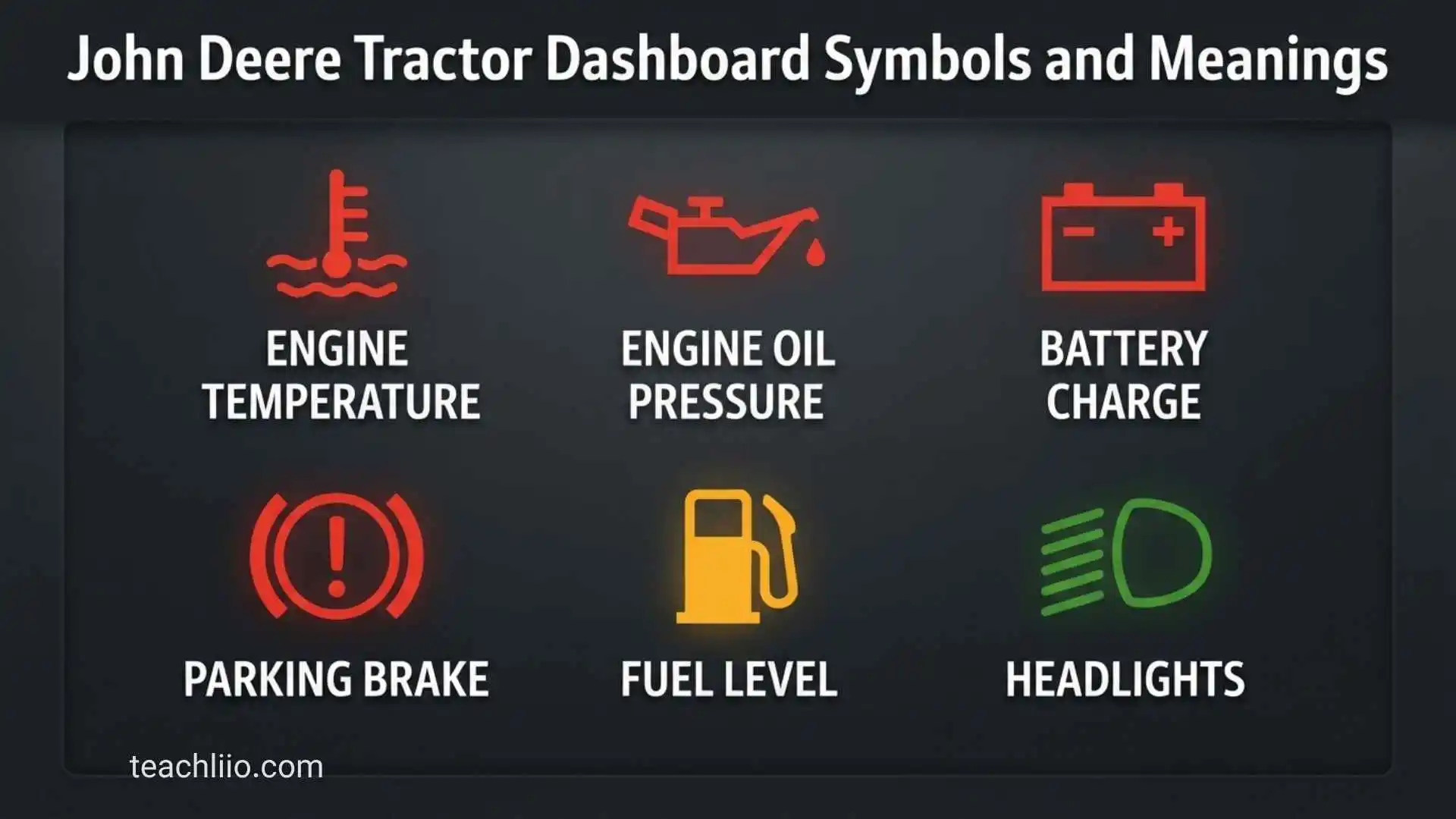
John Deere tractor dashboard symbols can tell you everything from whether the PTO is engaged to whether the engine, transmission, hydraulic system, or emissions system needs attention. The important part is knowing which symbols indicate normal operation and which ones require you to stop the tractor.
The exact symbols vary by John Deere model, series, year, transmission, engine, and optional equipment. A compact tractor such as a 1025R may have a different dashboard from a 5 Series, 6 Series, or 7 Series tractor. Therefore, this guide explains the most common John Deere tractor dashboard symbols and what they generally mean, while reminding you when the exact operator’s manual should take priority.
Quick John Deere Tractor Dashboard Symbols and Meanings
Before looking at individual symbols, it helps to understand the basic groups. John Deere dashboards commonly use warning indicators, operating-status indicators, gauges, and digital messages.
| Symbol or Indicator | General Meaning | Typical Importance | What to Do |
| Red STOP | Serious fault or unsafe condition | High | Stop safely and investigate |
| Yellow/Amber Warning | Fault or condition requiring attention | Medium to high | Check the display/manual |
| Green Indicator | Function is active | Usually normal | Continue if operation is expected |
| Blue Indicator | Information or selected function | Usually normal | Check function if unfamiliar |
| Oil Pressure | Low engine oil pressure | High | Stop engine and check |
| Coolant Temperature | Engine overheating | High | Stop safely and allow cooling |
| Battery/Charging | Charging system problem | Medium to high | Check charging system |
| Fuel | Low fuel level | Low to medium | Refuel |
| PTO | PTO engaged or selected | Depends on situation | Check before exiting or servicing |
| MFWD/4WD | Front-wheel drive active | Usually normal | Use according to conditions |
| Differential Lock | Differential lock engaged | Situational | Disengage when appropriate |
| Park Brake | Parking brake applied | Normal when parked | Release before movement |
| Air Cleaner | Air filter restriction | Medium | Inspect or service filter |
| DEF | Diesel exhaust fluid level/system | Medium to high | Check DEF level/system |
| Exhaust Filter | Regeneration or exhaust-system condition | Varies | Follow display instructions |
| Turn Signal | Direction indicator active | Normal | No action if intentional |
| High Beam | High-beam headlights active | Normal | Change when appropriate |
| Service Alert | Maintenance/service required | Medium | Check service information |
These meanings are intentionally general because John Deere does not use one identical dashboard across every tractor. Modern equipment can also display detailed messages and diagnostic information rather than relying only on a small warning icon.
Warning Symbols at a Glance
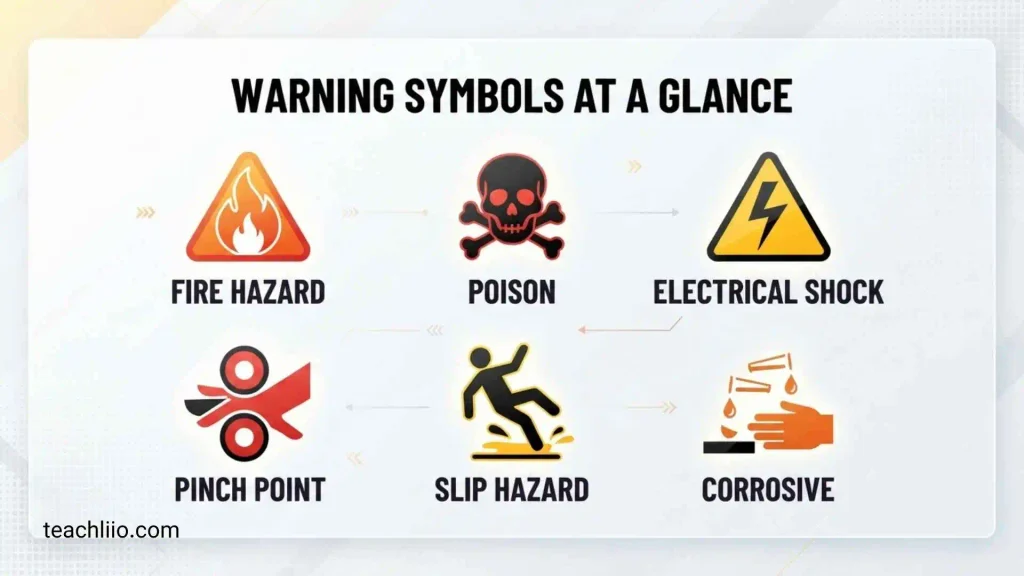
The most important distinction is between an indicator that tells you what the tractor is doing and a warning that tells you something may be wrong.
For example, a PTO indicator may simply confirm that the PTO is engaged. By contrast, an engine oil-pressure warning can indicate a condition that may damage the engine if operation continues.
Always consider the color, symbol, flashing behavior, accompanying message, and tractor symptoms together.
Status Indicators at a Glance
Green, blue, or other non-warning indicators often show that a feature is active. Common examples include turn signals, high beams, MFWD, PTO functions, transmission direction, and other selected operating functions.
A status indicator is not automatically a problem. In many cases, it is simply confirmation that the operator selected a function.
What the Colors of John Deere Warning Lights Mean
Color is one of the quickest ways to judge how seriously you should treat a dashboard message. However, color should never replace the instructions for your specific tractor.
Red Warning Lights
A red indicator generally deserves immediate attention. A red STOP-type warning can indicate a serious operating condition.
If a red warning appears together with unusual noise, overheating, loss of power, low oil pressure, smoke, or another serious symptom, safely stop the tractor as soon as conditions allow.
Do not continue working simply because the tractor still moves.
Yellow or Amber Warning Lights
Yellow or amber generally indicates caution or a condition that needs attention. It may not require an immediate shutdown in every situation, but you should understand the cause before continuing normal work.
For example, an air-filter restriction, service condition, or emissions-related message may appear before the situation becomes more serious.
Green Indicators
Green usually indicates an operating function or system status rather than a failure.
Turn signals and other selected functions may use green indicators. The exact color can vary with the model and display design.
Blue or Information Indicators
Blue or information indicators can communicate operating information or selected functions.
Some modern John Deere displays use information-oriented messages in addition to traditional warning lights. If a symbol is unfamiliar, check the display message and operator’s manual rather than guessing from its appearance.
John Deere Tractor Dashboard Symbols and Meanings
John Deere STOP Warning Symbol
The STOP indicator is among the most important dashboard warnings.
It generally indicates a serious condition that requires immediate operator attention. The exact cause may be related to engine, transmission, hydraulic, temperature, pressure, or another monitored system.
When a STOP warning appears, reduce risk first. If the tractor can be safely stopped, park it in a safe location, apply the parking brake, and follow the model-specific instructions.
Do not assume that switching the tractor off and restarting it permanently fixes the problem.
Engine Oil Pressure Symbol
The engine oil-pressure warning indicates that the tractor is detecting a low or abnormal engine oil-pressure condition.
This is one of the warnings that should be taken seriously because continued operation with inadequate lubrication can cause severe engine damage.
If the oil-pressure warning remains illuminated while the engine is running, stop safely and check the operator’s manual. Once the engine is safely shut down and conditions permit, check the oil level and look for obvious leaks.
Do not simply add oil and continue operating without understanding why the warning appeared.
Coolant Temperature Symbol
A coolant-temperature warning indicates that the engine coolant temperature has reached a condition requiring attention.
Possible causes can include insufficient coolant, restricted airflow, debris around the cooling package, a cooling-system problem, or heavy operating conditions.
If the temperature warning is severe, stop operating the tractor and allow the engine to cool according to the operator’s manual.
Never remove a pressurized radiator cap from a hot cooling system.
Battery and Charging Symbol
A battery or charging indicator can signal a problem with the tractor’s charging system.
The battery itself is not necessarily the only possible cause. The alternator, wiring, belt, connections, or charging circuit may also require inspection.
If the charging warning stays on while the engine is running, avoid assuming that replacing the battery will solve the problem. The charging system should be checked properly.
Engine Fault Symbol
An engine fault indicator means the tractor’s electronic system has detected a problem that may require diagnosis.
On newer tractors, the dashboard or display may provide a diagnostic code or additional message. That information is much more useful than trying to identify the fault from the icon alone.
Record the code before turning the machine off if the display allows you to do so.
Air Cleaner Restriction Symbol
An air-cleaner restriction symbol indicates that the engine’s intake system is detecting restricted airflow.
A dirty or restricted air filter can reduce engine performance and affect fuel efficiency. In dusty agricultural environments, air-filter restriction deserves particular attention.
Inspect and service the air-cleaner system according to the maintenance instructions for your tractor. Do not automatically replace every filter just because an indicator appears; follow the model’s recommended procedure.
Transmission Warning Symbol
Transmission-related warnings can indicate abnormal temperature, pressure, control-system faults, or other transmission conditions.
The correct response depends heavily on the tractor model and transmission type.
If a transmission warning appears with harsh shifting, loss of drive, abnormal noise, or a STOP warning, stop safely and consult the operator’s manual or qualified service support.
Hydraulic System Symbol
A hydraulic warning can relate to hydraulic pressure, temperature, oil level, filtration, or another monitored hydraulic function.
Hydraulic faults deserve attention because hydraulic systems power important tractor and implement functions.
Never place hands near a suspected hydraulic leak. High-pressure hydraulic fluid can cause serious injury even when a leak looks small.
Hydraulic Oil Temperature Symbol
A high hydraulic-oil temperature warning means the hydraulic system may be operating outside its intended temperature range.
Heavy implement use, restricted cooling, incorrect oil, low oil level, or a hydraulic-system problem may contribute to overheating.
Follow the tractor’s manual before continuing work. Do not treat repeated overheating as a normal characteristic of hard work.
PTO Symbol
The PTO indicator generally shows that the power take-off is engaged or selected.
The symbol itself may simply be a status indicator. The safety concern comes from the rotating PTO shaft and attached implement.
Always confirm that the PTO is disengaged before performing maintenance or approaching rotating components.
MFWD or 4WD Symbol
MFWD generally refers to mechanical front-wheel drive. A dashboard indicator can show that the system is engaged.
Four-wheel-drive or MFWD can be useful when traction is needed, but the correct engagement and disengagement procedure depends on the tractor.
Do not assume that the symbol means a mechanical failure. In many cases, it simply confirms the selected drive mode.
Differential Lock Symbol
The differential-lock indicator shows that the differential-lock function is engaged or selected.
Differential lock can improve traction in appropriate conditions, but prolonged use when it is not needed can affect steering and drivetrain behavior.
Use the feature according to the tractor’s operator instructions and operating conditions.
Parking Brake Symbol
The parking-brake indicator confirms that the parking brake is applied.
This is normally a status indication rather than a fault. However, if the tractor shows the brake warning when you believe the brake is released, investigate before driving.
Fuel Level Symbol
The fuel indicator shows fuel level or warns that fuel is low.
A low-fuel warning is usually not an emergency, but running out of fuel can stop work and may require additional procedures before the engine can restart.
Treat fuel warnings as a maintenance and operating reminder rather than waiting until the tank is completely empty.
DEF Symbol
Newer diesel tractors equipped with emissions systems may display a DEF indicator.
DEF level and emissions-system messages are important because modern engines use aftertreatment systems to meet emissions requirements.
If the DEF level is low or an emissions-system fault appears, follow the display instructions. Do not substitute another fluid for DEF.
Exhaust Filter and Regeneration Symbol
An exhaust-filter symbol may indicate that the tractor is performing or requesting a regeneration process.
During regeneration, exhaust-system temperatures can become very high. The exact operating requirements vary by tractor and emissions system.
Do not interrupt or interfere with a regeneration process unless the operator’s manual specifically permits it under the circumstances.
If an exhaust-filter warning repeatedly returns, investigate the cause rather than repeatedly resetting the message.
Preheater or Glow-Plug Symbol
A preheater indicator is commonly associated with cold starting on diesel engines.
When the indicator is active, the tractor may be preparing the engine for starting. Follow the normal starting procedure for your model.
If the indicator behaves abnormally or remains active when it should not, consult the tractor’s manual.
Turn Signal and Hazard Indicators
Turn-signal indicators confirm that the tractor’s directional indicators are operating.
Hazard indicators serve a different purpose and are designed to make the tractor more visible in appropriate situations.
These are normally status indicators, not mechanical fault warnings.
High-Beam Indicator
The high-beam indicator tells the operator that the high-beam headlights are selected.
If the symbol appears unexpectedly, check the lighting controls rather than treating it as an engine or mechanical warning.
Service Alert Symbol
A service or maintenance indicator tells the operator that scheduled maintenance, a monitored condition, or a service-related issue requires attention.
The exact meaning varies considerably by model.
If a service message appears, look for additional information on the display and check the maintenance schedule before assuming that a major mechanical failure has occurred.
What to Do When a John Deere Warning Light Comes On
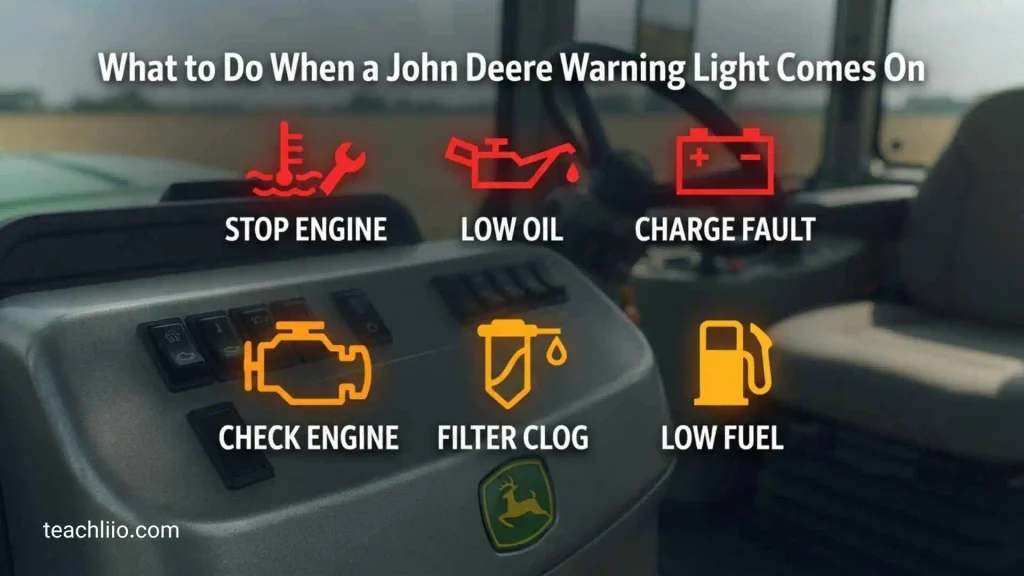
Check the Warning Color
First determine whether the indicator is red, amber/yellow, green, blue, or another display color.
A red STOP condition deserves much more immediate attention than a normal green status indicator.
Read the Digital Display
If your tractor has a digital display, look for a text message, code, temperature reading, or other information.
The icon may only tell you which system needs attention. The display may provide the actual clue.
Check Diagnostic Codes
Modern John Deere tractors can provide electronic diagnostic information.
Write down the code exactly as shown. Even a small difference in letters or numbers can point to a different system.
Do not guess at a repair based only on a generic symbol.
Perform Basic Checks
When the tractor is safely parked and the engine is shut down, basic checks may include:
- Engine oil level
- Coolant level
- Fuel level
- DEF level, if equipped
- Visible leaks
- Air-filter condition
- Loose or damaged connections
- Obvious debris around cooling areas
Only perform checks that are safe and specifically appropriate for your tractor.
Decide Whether You Should Stop Operating
Stop and investigate immediately when the warning indicates a serious pressure, temperature, lubrication, braking, or other critical fault.
If the tractor is overheating, losing oil pressure, producing unusual smoke, making severe mechanical noise, or showing a serious STOP warning, continued operation can increase damage.
Contact Qualified Service Support
If the warning returns after basic checks, a diagnostic code is present, or the cause is unclear, use the model-specific service information or contact an authorized John Deere dealer or qualified technician.
What Does It Mean When Several John Deere Warning Lights Come On?
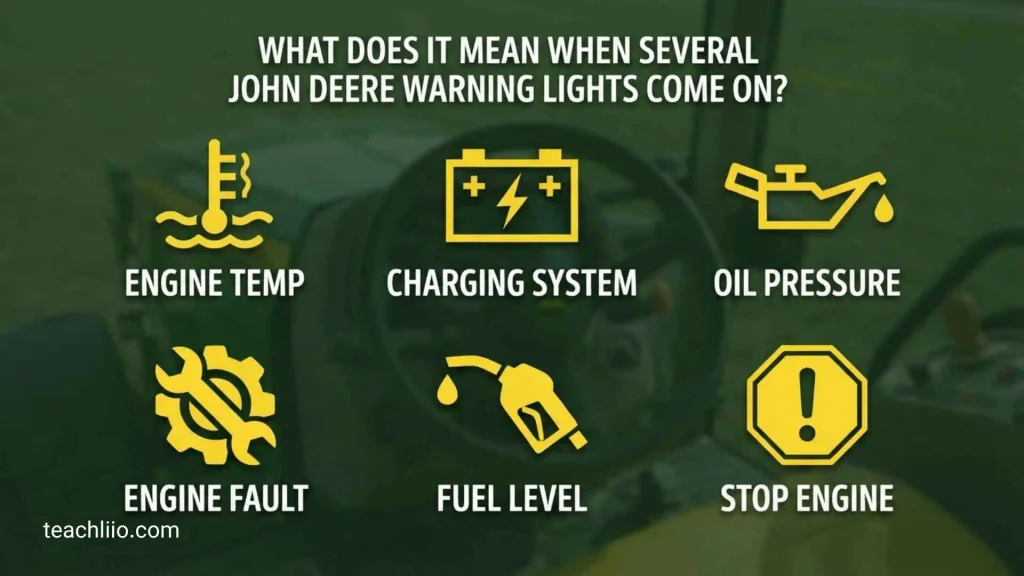
Several warning lights appearing at the same time can be confusing, but it does not always mean that every system has independently failed.
A single electrical, communication, sensor, charging, or control-system problem can sometimes produce multiple related warnings.
For example, if several indicators appear immediately after starting, note exactly which lights appeared, whether they remain on, and whether the tractor operates normally.
If several serious warnings appear together with a STOP message, loss of power, overheating, abnormal transmission behavior, or another major symptom, stop safely and diagnose the problem before continuing.
Do not clear the warnings simply to make the dashboard look normal.
How to Identify an Unknown John Deere Dashboard Symbol
If you cannot identify a dashboard symbol, use a systematic approach instead of guessing.
Identify the Tractor Model
Start with the exact model number. A 1025R, 5075E, 6155R, and 8 Series tractor can have substantially different displays and symbols.
Check the Year and Configuration
Two tractors with similar model names can have different equipment depending on production year, engine, transmission, emissions package, and optional equipment.
Note the Symbol Color
Write down whether the symbol is red, amber, green, blue, or another color.
Check Whether It Is Flashing
A steady indicator and a flashing indicator may have different meanings.
Look for a Code or Message
If the dashboard provides a diagnostic code, record it exactly.
Note What Happened Before the Warning
Useful details include:
- Did it appear during startup?
- Did it appear under heavy load?
- Did the tractor become hot?
- Did engine speed change?
- Did the tractor lose power?
- Was an implement connected?
- Was the PTO operating?
- Did several lights appear together?
These details can make diagnosis much easier.
John Deere Dashboard Symbols by Tractor Series
Compact Tractors
Compact tractors such as the 1 Series and 2 Series are designed differently from larger agricultural tractors.
Their dashboards may focus on engine temperature, oil pressure, fuel, PTO, parking brake, transmission or drive status, and other basic operating functions.
Do not assume that a symbol found on a larger John Deere tractor will have exactly the same meaning on a compact model.
5 Series Tractors
5 Series tractors can include a wider range of transmission, PTO, hydraulic, emissions, and electronic indicators.
Depending on configuration, the operator may see information relating to MFWD, differential lock, transmission, PTO, engine systems, air restriction, charging, fuel, and service conditions.
6 Series Tractors
6 Series models may use more advanced displays and electronic controls.
Transmission, hydraulic, emissions, diagnostic, and vehicle-system information can be integrated into the display. The exact dashboard depends on the model and specification.
7 Series and Larger Tractors
Larger John Deere tractors can have highly integrated digital displays with information about transmission functions, engine operation, DEF, exhaust systems, vehicle functions, and other electronic controls.
For these tractors, the displayed message and diagnostic information can be more important than the basic icon alone.
Older John Deere Tractors
Older tractors may have simpler instrument clusters with fewer electronic messages.
Oil pressure, coolant temperature, charging, PTO, fuel, lights, transmission, and other indicators may still be present, but their appearance can differ significantly from modern dashboards.
For older tractors, the original operator’s manual is especially valuable because familiar-looking symbols are not necessarily identical across generations.
How to Reset John Deere Warning Lights
There is no single reset procedure that applies to every John Deere tractor.
Some indicators disappear automatically after the underlying condition is corrected. Others may remain stored as diagnostic information.
Turning the tractor off and restarting it may temporarily clear a message, but that does not prove the problem has been repaired.
A warning should not be reset simply to hide it.
The correct approach is to identify the cause, correct the problem when appropriate, and then follow the reset or clearing procedure specified for that tractor.
If the warning immediately returns, treat that as useful diagnostic information rather than repeatedly restarting the machine.
John Deere Dashboard Symbols vs. Gauges
Dashboard symbols and gauges are related but serve different purposes.
A warning symbol usually tells you that a monitored condition has reached a level requiring attention.
A gauge provides a continuously changing measurement or status, such as:
- Engine RPM
- Coolant temperature
- Fuel level
- Hydraulic temperature
- Transmission information
- Vehicle speed
- DEF level
- Engine oil pressure on equipped displays
Learning to read both symbols and gauges helps you notice problems earlier.
For example, an increasing temperature gauge followed by a coolant-temperature warning provides more information than the warning symbol alone.
When Is a John Deere Warning Light an Emergency?
Treat a warning as potentially urgent when it involves:
- Engine oil pressure
- Severe engine overheating
- Serious hydraulic or transmission problems
- A red STOP warning
- Severe brake-related conditions
- Major loss of power
- Unusual mechanical noise
- Smoke or burning smells
- A rapidly worsening condition
The exact response depends on the tractor and the operator’s manual.
When in doubt, prioritize safe shutdown and diagnosis over finishing the job.
Frequently Asked Questions
What do the colors on a John Deere tractor dashboard mean?
Colors generally help distinguish warning levels from normal operating information. Red commonly indicates a serious condition, yellow or amber indicates caution, and green or blue often indicates an active function or information. Exact meanings can vary by model.
What does the red STOP symbol mean on a John Deere tractor?
The red STOP symbol generally indicates a serious condition requiring immediate attention. Safely stop the tractor when possible and use the exact operator’s manual to identify the cause.
What does the oil symbol mean on a John Deere tractor?
An oil-pressure symbol commonly indicates low or abnormal engine oil pressure. Because inadequate lubrication can cause serious engine damage, do not continue operating until the cause has been checked.
What does the yellow warning light mean on a John Deere tractor?
A yellow or amber warning generally indicates that a condition needs attention. It may not always require immediate shutdown, but the operator should check the message, code, and manual before continuing normal operation.
What does the air-filter symbol mean?
An air-cleaner restriction indicator generally means that the engine is detecting restricted intake airflow. Inspect the air-cleaner system according to the tractor’s maintenance instructions.
What does the PTO symbol mean?
The PTO symbol normally indicates that the power take-off is engaged or selected. Always confirm PTO status before approaching or servicing an attached implement.
What does the MFWD symbol mean?
MFWD generally means mechanical front-wheel drive. The indicator usually confirms that the front-wheel-drive function is engaged or selected.
Why are several John Deere warning lights on at once?
Several warning lights can sometimes result from one underlying electrical, sensor, communication, or system problem. Record the warnings and diagnostic codes before clearing anything.
Can I reset a John Deere warning light by turning the tractor off?
Sometimes an indicator may disappear after a restart, but restarting does not necessarily repair the underlying problem. If the warning returns, investigate it using the model-specific information.
Why does my John Deere dashboard symbol not appear in a general symbol list?
John Deere dashboards vary by tractor model, year, engine, transmission, emissions equipment, and optional features. A symbol may therefore exist on one model but not another.
How can I identify a John Deere symbol I have never seen before?
Find the exact tractor model and year, note the symbol’s color and whether it is flashing, record any accompanying diagnostic code or message, and compare it with the correct operator’s manual.
Conclusion
Understanding John Deere tractor dashboard symbols and meanings can help operators react quickly when something changes. The most important lesson is that not every dashboard symbol is a warning. Some simply show that a function such as PTO, MFWD, high beam, turn signal, or parking brake is active.
At the same time, red STOP warnings, oil-pressure problems, severe overheating, and major hydraulic or transmission warnings should never be ignored.
Because John Deere uses different dashboards across its tractor families, there is no single universal symbol chart that can accurately describe every model. The safest approach is to identify the exact tractor, read the display message or diagnostic code, and compare the symbol with the correct operator’s manual.
If you are trying to identify one specific symbol, the most useful information is the tractor model, year, symbol color, whether it is flashing or steady, and any code or message shown on the display. With those details, the symbol can be narrowed down much more accurately.

I’m Oscar Radcliffe, a British writer who enjoys uncovering the numbers hidden within ordinary questions. My work explores quantities, counts, statistics, measurements, and fascinating comparisons across different subjects. I aim to present reliable information clearly, helping readers satisfy their curiosity while discovering interesting facts they may never have considered before.
Books:
The Science of Counting
How Many? Fascinating Numbers Explained