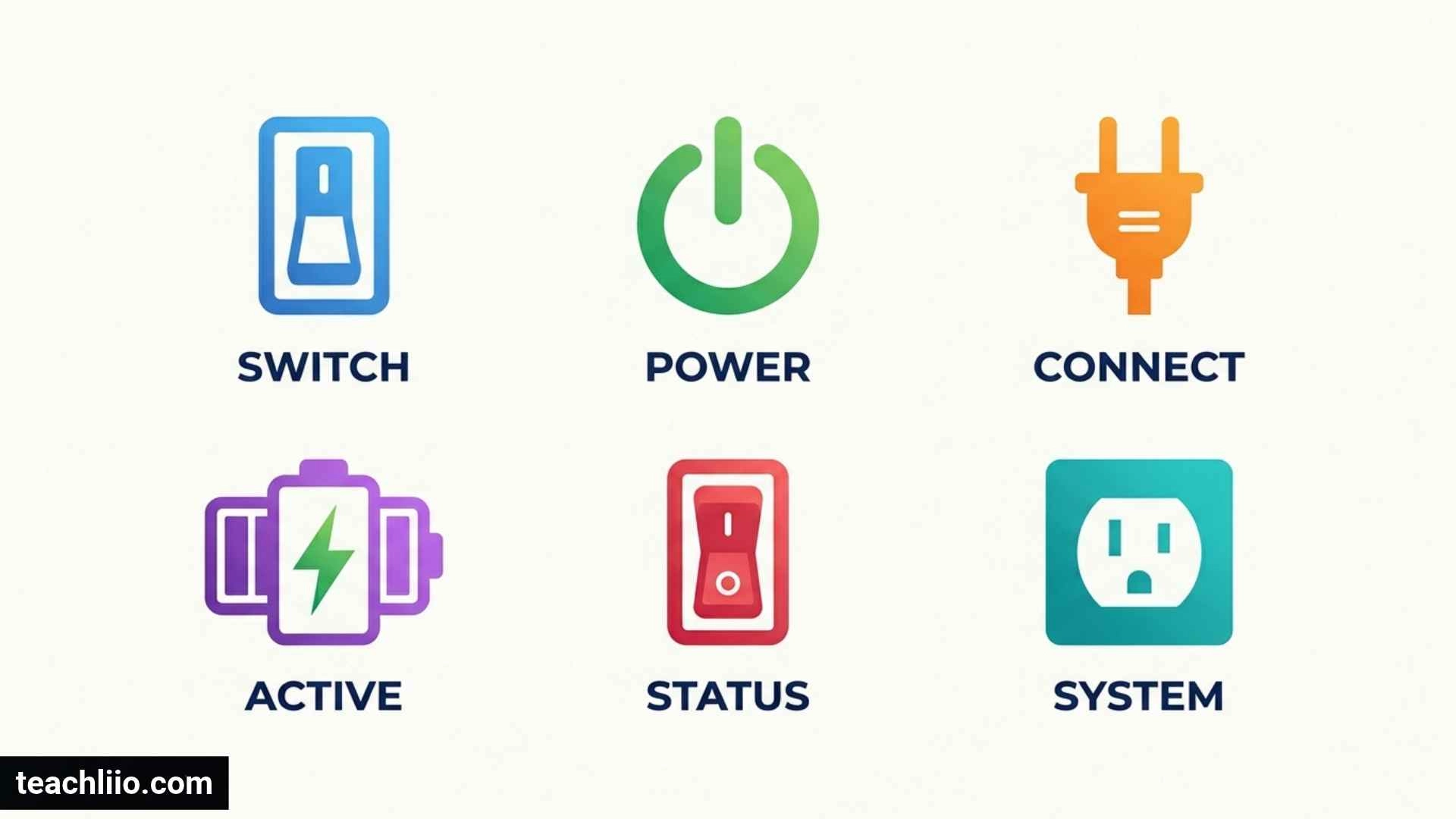
Off and on symbols help us control electronic devices, household appliances, computers, televisions, and electrical equipment. Although these symbols look simple, they can be confusing when a switch displays a line, a circle, or a circle with a vertical line through it. Understanding their meanings helps you operate devices correctly and recognize when equipment is on, off, or in standby mode.
The most common power markings are I for On, O for Off, and the broken-circle power symbol for standby or general power control. A circle with a line that does not break the circle can indicate an On/Off switch. However, the exact function of a button may vary by device and manufacturer.
This guide explains the most common off and on symbols, their meanings, how they work on different devices, and how to tell whether a device is completely switched off or simply sleeping.
What Are Off and On Symbols?
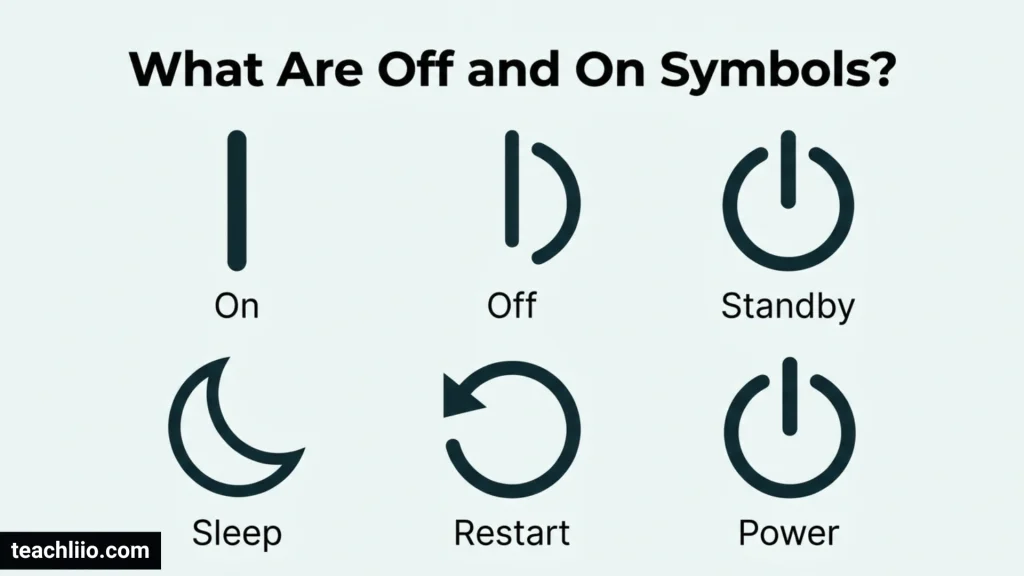
Off and on symbols are visual markings used on switches, buttons, control panels, and electronic devices to show how power is controlled. They provide a simple alternative to written labels, making controls easier to recognize across different languages.
Many electrical devices use symbols associated with the international IEC 60417 graphical-symbol standard. The standard includes separate markings for On, Off, and Standby, each with a specific purpose.
You can find these symbols on:
- Computers and laptops
- Televisions and remote controls
- Washing machines and microwaves
- Power supplies and electrical switches
- Printers, monitors, and gaming consoles
- Fans, heaters, and other household appliances
- Audio equipment and chargers
Although these markings often look similar, they do not always mean the same thing. The most useful first step is to identify the shape of the symbol and understand the function of the switch.
5 Common Off and On Symbols and Their Meanings
1. On Symbol (I or a Vertical Line)
Meaning: The device or switch is in the On position.
The On symbol looks like a short vertical line: I or ⏽. It is commonly printed on one side of a rocker switch, particularly on power supplies and electrical equipment.
Under IEC 60417, symbol 5007 identifies the On power condition. It indicates a connection to the power supply in the applicable switch context.
You may see this symbol on a desktop computer’s power supply, an appliance switch, or other electrical equipment. If a rocker switch is marked with I on one side and O on the other, pressing the I side normally turns the device or power supply on.
Example: On a computer power supply, switching the control to I generally enables the power supply. The computer itself may still need its front power button pressed.
2. Off Symbol (O or a Circle)
Meaning: The switch is in the Off position.
The Off symbol looks like a simple circle: O or ⭘. It is often placed opposite the I symbol on a rocker switch.
IEC 60417 identifies symbol 5008 as the Off power symbol. In the appropriate context, it indicates disconnection from the mains power supply.
The O marking is especially common on desktop computer power supplies, appliances, and electrical equipment with a physical On/Off switch.
Example: If you move a computer power supply switch to O, you generally disconnect its power supply from the mains. This is different from merely shutting down the operating system using the computer’s software menu.
Remember that the symbol identifies the intended function of the switch. It does not guarantee that every component is free from stored electrical energy or that the equipment is safe to open.
3. Power Symbol (Broken Circle With a Vertical Line)
Meaning: A general power button, commonly used to turn a device on or off.
The familiar power symbol looks like a circle with a short vertical line extending through the top: ⏻.
It is one of the most recognizable symbols on modern electronics. You can find it on laptops, desktop computers, monitors, televisions, speakers, and many household appliances.
Its design is commonly explained through binary notation: 1 represents On, while 0 represents Off. Combining the line and circle creates a recognizable power-control symbol.
There is an important technical distinction, however. The related IEC 60417 symbol 5009 is formally associated with Standby. In everyday consumer electronics, the same familiar shape is widely used as a general power-button icon. Its actual behavior depends on the device.
For example, pressing the power button on a laptop might put it to sleep, wake it, or initiate shutdown, depending on the operating system and settings.
4. Standby Symbol
Meaning: The device is in a low-power state rather than fully disconnected from power.
Standby allows some equipment to remain ready for use while consuming less energy than during normal operation.
The standby marking is associated with IEC 60417 symbol 5009 and is related in appearance to the familiar broken-circle power symbol. Because manufacturers also use that shape for general power buttons, it is important to consider the device’s instructions.
A television in standby may respond to a remote control. A printer may remain available for a wake-up command. A computer may use sleep mode to resume work quickly.
Standby is not necessarily the same as being completely disconnected from electricity. Some devices continue to draw power while waiting for a command or maintaining certain functions.
Example: When you switch off a television with its remote, the screen goes dark, but the television may remain in standby. Turning off its dedicated mains switch or unplugging it may disconnect it more completely.
5. On/Off Symbol (Line Inside a Complete Circle)
Meaning: One control switches the equipment between On and Off.
A line inside a complete, unbroken circle can represent an On/Off push-push control: ⏼ is a related Unicode symbol, while actual markings vary by device.
IEC 60417 symbol 5010 identifies an On/Off push-push switch, in which each position is stable. Activating the switch changes the equipment between its On and Off states.
This marking is different from the broken-circle power icon. The distinction can be subtle, and not every manufacturer uses the same visual design in the same way.
You may encounter combined On/Off controls on electronic equipment, appliances, or older devices. Always check the product manual if the marking is unclear.
Off and On Symbols at a Glance
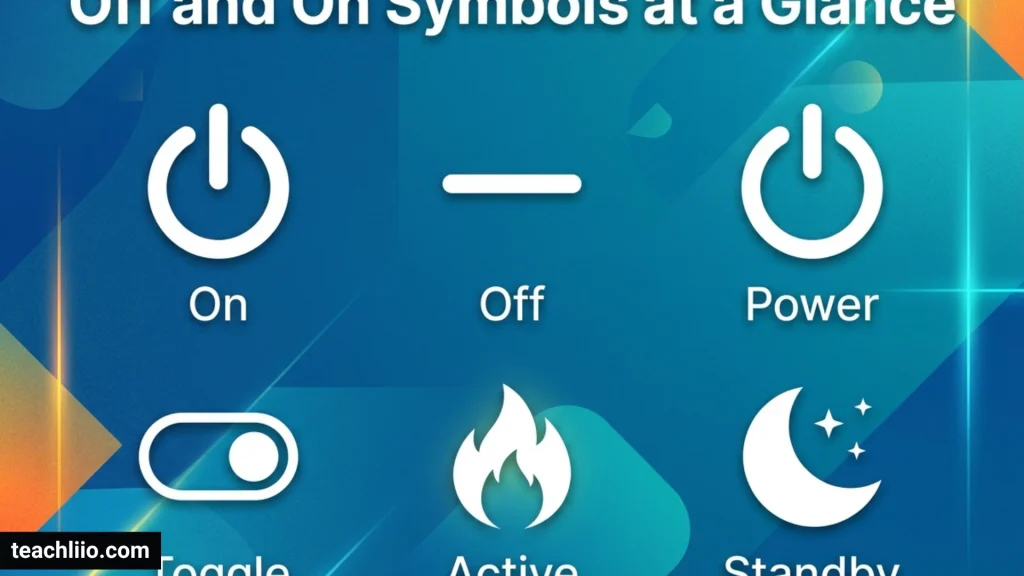
| Symbol or marking | Common meaning | Typical use |
| I or ⏽ | On | Rocker switches and power supplies |
| O or ⭘ | Off | Physical power switches |
| ⏻ | General power control; associated with standby in IEC 60417 | Computers, TVs, monitors |
| Standby marking | Low-power ready state | TVs, printers, electronics |
| Line inside a complete circle | On/Off control in applicable standardized contexts | Push-push switches |
Important: Symbols can vary by product and control design. When a marking is ambiguous, use the manufacturer’s manual rather than relying on appearance alone.
What Do I and O Mean on a Power Switch?
The letters I and O are not simply decorative marks. They are widely used to identify the two positions of a power switch.
- I means On. The switch is in its On position.
- O means Off. The switch is in its Off position.
These markings are especially useful on rocker switches because you can often determine the selected position by checking which side is pressed down.
For example, a desktop computer’s power supply may have a small switch on the back. Moving it to I enables the power supply, while moving it to O turns that supply off.
Be aware that turning a power supply on does not necessarily start every connected device. A computer may still need its front power button pressed before it begins operating.
Difference Between On, Off, and Standby
On, Off, and Standby describe different power conditions. Understanding the difference is useful when operating electronics and deciding whether equipment is truly disconnected.
On
The device is operating or enabled. Its display, motor, heating element, or other function may be active, depending on the equipment.
Examples include a computer running, a lamp producing light, or a washing machine carrying out a cycle.
Off
The device or relevant power circuit is switched off. For equipment with a physical mains switch, this may disconnect the device from the mains supply.
However, a device that appears off after you press a software power button may still receive electricity in standby mode.
Standby
The device is not operating normally but remains in a low-power state. It may be able to wake quickly or respond to a remote control or network command.
A television with a dark screen, a sleeping laptop, or a printer waiting for a job may be in standby or another low-power state.
The key difference is that a dark screen does not always mean a device is completely disconnected from power.
How to Identify Off and On Symbols on Different Devices
Computers and Laptops
Desktop computer power supplies often use I and O on a physical switch. The front power button usually displays the familiar broken-circle power symbol.
On laptops, pressing the power button may turn the computer on, wake it from sleep, or initiate a shutdown. The result depends on the operating system and power settings.
Televisions
A television may use the power symbol on its casing or remote control. Pressing it usually turns the display on or places the television in standby.
If you need to disconnect the television from mains power, consult its manual and use the intended physical switch or unplug it when appropriate.
Washing Machines and Other Appliances
Appliances may have a power button, a dedicated On/Off switch, or both. The power button may activate the control panel without immediately starting a wash or other operating cycle.
Look for a separate Start/Pause button if the appliance requires another action to begin working.
Monitors and Printers
A monitor’s power button may turn off the display while other functions remain active. Printers can enter standby while waiting for a print job.
If an indicator light remains illuminated after pressing the power button, consult the manual to determine whether the device is in standby or still operating.
Electrical Power Supplies
Power supplies commonly use I and O to identify physical switch positions. These markings are particularly important when setting up desktop computers or other equipment with a mains power switch.
Before touching cables or servicing electrical equipment, follow the manufacturer’s safety instructions. Do not open a power supply unless you are qualified to do so.
Why Are Power Symbols Used Instead of Words?
Power symbols provide a compact way to communicate the function of a control without relying on a particular language. A person who does not read the wording on a device may still recognize its power button.
Symbols also save space. Small devices, control panels, and portable electronics may not have room for labels such as “Power On,” “Power Off,” or “Standby.”
Standardized symbols help manufacturers create more consistent controls, although individual products can still use them differently. This is why learning the common meanings is helpful, but checking the manual remains important when a device behaves unexpectedly.
Safety Tips for Using Power Switches
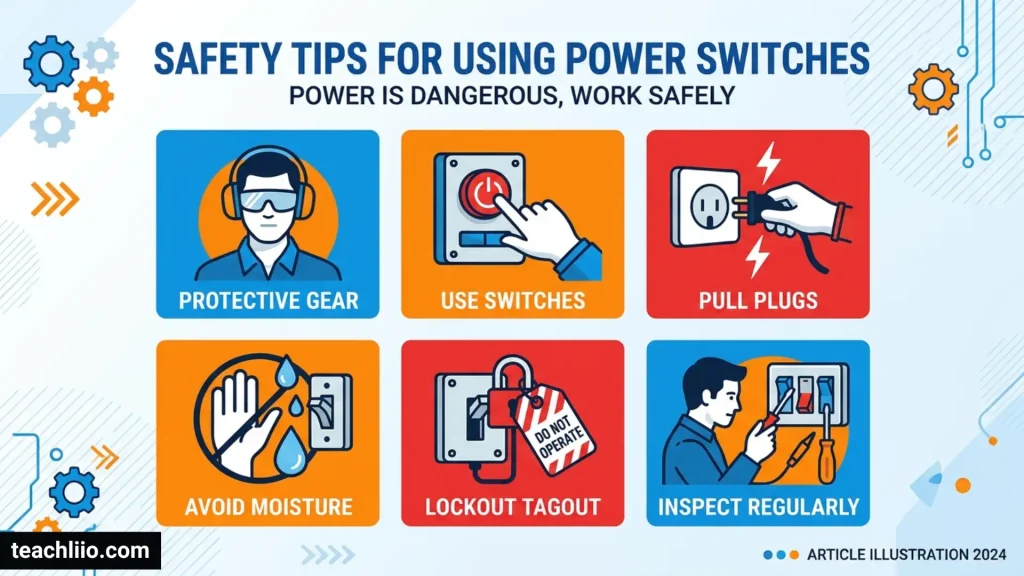
Power symbols make controls easier to understand, but they should not replace basic electrical safety.
- Check whether a switch controls the entire device or only one function.
- Do not assume that a dark screen means the equipment is disconnected from power.
- Follow the manufacturer’s instructions before cleaning, moving, or servicing electrical equipment.
- Unplug equipment when the manual recommends it and it is safe to do so.
- Never open a power supply or other electrical component unless you have the required training.
- If a switch is damaged, sparks, smells burnt, or becomes unusually hot, stop using the equipment and seek qualified assistance.
For devices used in workplaces or medical settings, follow the applicable safety procedures rather than relying on a general interpretation of the symbol.
Frequently Asked Questions
What Does the On Symbol Look Like?
The standard On symbol is a vertical line, commonly written as I or shown as ⏽. It often appears on physical switches and power supplies.
What Does the Off Symbol Look Like?
The standard Off symbol is a circle, commonly shown as O or ⭘. It identifies the Off position of a switch in the appropriate context.
Does the Broken-Circle Power Symbol Mean On or Off?
The broken-circle symbol is widely used as a general power button on consumer electronics. In IEC 60417, the related symbol 5009 identifies standby. Depending on the device, pressing the button may turn the equipment on, turn it off, or place it in a low-power state.
Is Standby the Same as Off?
No. Standby generally means that the device is in a low-power state and may remain connected to electricity. Off can mean that the relevant power circuit is disconnected, depending on the type of switch.
Which Symbol Means On: I or O?
I means On, while O means Off. These markings are commonly found together on rocker switches.
Does a Device Use Electricity When It Is Off?
It depends on how the device is switched off. Equipment in standby may continue to consume some electricity. A device disconnected from its mains supply generally cannot draw mains power, although batteries or stored electrical energy may still be present.
Why Does My Device Stay Lit After I Press the Power Button?
An indicator light may show that the device is in standby, charging, or maintaining another function. Check the device manual to learn what the light means for your particular model.
Where Can I Find Official Power Symbol Definitions?
The International Electrotechnical Commission maintains the IEC 60417 database of graphical symbols used on equipment. Manufacturer symbol glossaries, such as those published by Leica Biosystems and Epson, also explain several common power and safety markings.
Conclusion
Off and on symbols make it easier to control electronics and electrical equipment. The vertical line or I generally means On, while the circle or O means Off. The familiar broken-circle symbol is widely used for power control and is associated with standby in the IEC 60417 standard. A line inside a complete circle can identify an On/Off control in the relevant standardized context.
The most important distinction is between switching a device off and placing it in standby. A device may look inactive while remaining connected to power. When the exact function of a button is uncertain, check the manufacturer’s instructions before using or servicing the equipment.

I’m Hugo Wetherby, a British author interested in the numbers behind everyday questions. I explore quantities, populations, measurements, records, comparisons, and surprising statistics, turning complicated information into accessible answers. I believe a simple “how many” question can lead to fascinating discoveries, and I enjoy helping readers find those answers.
Books:
How Many? A Guide to Everyday Numbers
The Great Book of Numbers and Quantities